
Risk warning: CFDs are complex instruments and come with a high risk of losing money rapidly due to leverage. The majority of retail investor accounts lose money when trading CFDs. You should consider whether you understand how CFDs work and whether you can afford to take the high risk of losing your money. This page is general information, not financial advice. Advertiser disclosure.
I rate Eightcap as the best TradingView broker for UK traders, on the only dedicated TradingView account in the FCA field. This page compares the fourteen FCA-regulated brokers that connect to TradingView, thirteen of them carded for currency trading, and I rank them on integration type rather than on cost, because only five of the fourteen have a raw account we have priced and a cost ranking would be ranking the availability of our own data. Every broker below holds FCA authorisation and carries FSCS cover up to £85,000 per eligible person, so your money is protected.
Who is the best TradingView broker in the UK?
I rank Eightcap as the best TradingView broker in the UK, running the only account type built for TradingView rather than connected to it. OANDA, Vantage, Spreadex, Trade Nation, Capital.com and FXCM also place live orders from a chart on any account type. Three more do too but gate it to particular accounts, and three are listed with the routing type unestablished. Each card says which.
I have ranked ten picks. The first seven are native with no account gate, so you can trade from any account type; the last three are native but restricted to particular accounts, so you need to check the account type.
- Eightcap: the only dedicated TradingView account in the FCA field.
- OANDA: native on a full account, with a deep API behind it.
- Vantage: native, and the lowest commission of any integration here at £1.00 per side.
- Spreadex: native account execution on both a spread bet and a CFD book, supporting stake per point and contract sizing.
- Trade Nation: native, zero commission across FX, indices, shares and commodities.
- Capital.com: native routing and embedded charts, both genuinely available.
- FXCM: the longest-standing partner here, with routing now settled.
- Pepperstone: native, but Razor accounts only, at US$3.50 per side converted.
- FxPro: native, but only through its cTrader account types.
- Swissquote: native on CFXD only, and mutually exclusive with expert advisors.
I list three more below the ranking, with the routing type unestablished: City Index, Forex.com and Saxo, so you know the routing type is not yet confirmed.
Comparison table: UK TradingView brokers
I suggest you read the integration and gating columns first. Native means you place and manage real trades inside TradingView; gated means you do, but only from particular account types, so opening the wrong account at those three brokers means the integration does not exist for you. We re-verified integration and gating against each broker’s own UK pages on 29 July 2026. Where a cell says tested, that figure comes from David Levy’s live UK account capture. Spreads are advertised from-rates from each broker’s own site unless the cell says tested, so I recommend you confirm the live figure before trading.
| Broker | TradingView integration | Account gating | EUR/USD spread | Subscription | FCA FRN |
|---|---|---|---|---|---|
| Eightcap | Native order routing | None, any account type | From 1.0 pips, no commission | Free Basic works; a funded account unlocks Plus | 921296 |
| OANDA | Native order routing | None, any account type | 0.94 pips tested, spread-only | Free Basic works | 542574 |
| Vantage | Native order routing | None, any account type | 0.08 pips tested plus £1.00 per side (Raw ECN) | Free Basic works | 590299 |
| Spreadex | Native order routing | None, any account type | 0.8 pips tested, spread-only | Free Basic works | 190941 |
| Trade Nation | Native order routing | None, any account type | 0.5 pips fixed within a session (published) | Free Basic works | 525164 |
| Capital.com | Native routing and embedded charts | None, any account type | Dynamic, no advertised minimum | Not required for the embedded route | 793714 |
| Pepperstone | Native, but gated | Razor accounts only, not Standard | 0.1 pips tested plus US$3.50 per side, converted | Free Basic works | 684312 |
| FxPro | Native, but gated | cTrader account types only, not MT4 or MT5 | 0.64 pips tested plus US$3.50 per side, converted | Free Basic works | 509956 |
| Swissquote | Native, but gated | CFXD only, and CFXD does not support expert advisors | 0.3 pips tested, spread-only with no commission | Free Basic works | 562170 |
| FXCM | Native order routing | None stated | 0.2 pips tested, volume-tiered commission | Free Basic works | 217689 |
| City Index | Supported, routing not established | Not established | 1.4 pips tested, spread-only | Confirm the listing before subscribing | 446717 |
| Forex.com | Supported, routing not established | Not established | 1.0 pips tested, spread-only | Confirm the listing before subscribing | 446717 |
| Saxo | Supported, routing not established | Not established | 1.1 pips tested, spread-only | Confirm the listing before subscribing | 551422 |
| Interactive Brokers | Native, but stocks, futures and bonds only | Spot FX is not listed at all | Not applicable, no spot FX routing | Free Basic works | 208159 |














Risk warning: CFDs are leveraged products and carry a high risk of loss. The majority of retail CFD accounts lose money. Review the broker’s Key Information Document before trading.
Cells marked tested are modal spreads David Levy recorded on live UK accounts in July 2026; the rest are advertised starting rates from each broker’s own site. Only 5 of the 14 brokers here have a complete tested raw capture, which is why this page ranks on integration rather than cost. Integration type, account gating and commission were re-verified against each broker’s own UK pages on 29 July 2026. Brokers join and leave TradingView’s connectable list without notice, so confirm your broker is live on it before subscribing to a paid plan.
Interactive Brokers is in the table but not in the ranking above it. Interactive Brokers (U.K.) Limited publishes its own TradingView connection guide, and the integration is a real one, but the guide covers stocks, futures and bonds and does not list spot FX (broker site, checked 29 July 2026). This page ranks brokers on TradingView for currency trading, so a connection that does not route FX orders cannot be ranked against ones that do. If you want TradingView charts driving share, futures or bond orders rather than forex, it belongs on your shortlist and the Interactive Brokers review covers the rest of the account.
I want you to understand: whatever you do inside TradingView, your money, execution and protections sit with the broker: segregated client money, negative balance protection, FCA leverage caps of 30:1 on major currency pairs, FSCS cover up to £85,000 and Financial Ombudsman Service access.
How TradingView users rate these twelve
TradingView publishes a rating on each broker’s own profile, collected from people who connected an account and traded from the chart. That makes it a narrower measure than a Trustpilot score, and a more useful one on this page, because the raters are grading the integration itself. Sample sizes vary enormously, so read the count next to the score: City Index’s 3.8 rests on 238 ratings where Pepperstone’s 4.6 rests on 35,197. Captured August 2026. Spreadex is the one broker ranked on this page with no row below, because we hold no TradingView profile capture for it. The twelve shown are the ones we have.
| Broker | TradingView rating | Ratings | Accounts connected via TradingView |
|---|---|---|---|
| Pepperstone | 4.6 | 35,197 | 201K |
| OANDA | 4.5 | 32,381 | 311.7K |
| Eightcap | 4.3 | 7,845 | 51.1K |
| Vantage | 4.5 | 2,872 | 71.4K |
| FxPro | 4.5 | 1,240 | 41.4K |
| Saxo | 3.6 | 1,694 | 26.9K |
| FXCM | 4.5 | 7,919 | 50.1K |
| Forex.com | 4.5 | 14,149 | 186.3K |
| Capital.com | 4.6 | 28,999 | 307.3K |
| City Index | 3.8 | 238 | 3K |
| Trade Nation | 4.8 | 2,556 | 27.6K |
| Swissquote | 3.7 | 77 | 1K |
What these TradingView-connected accounts tested at
TradingView charges its own subscription on the higher tiers, but I find that the broker spread is the recurring cost you pay on every trade. These are the figures David Levy recorded on a live UK account behind the advertised rates above, so you can see the actual cost.
| Broker | Account tested | EUR/USD (tested) | GBP/USD (tested) | EUR/GBP (tested) | 3-pair average (tested) | Commission, round turn | Advertised from-rate |
|---|---|---|---|---|---|---|---|
| Pepperstone | Razor (CFD) | 0.10 pips | 0.20 pips | 0.20 pips | 0.17 pips | £4.50 | tested basis leads |
| Vantage | Raw ECN | 0.08 pips | 0.20 pips | 0.74 pips | 0.34 pips | £2.00 | tested basis leads |
| OANDA | Standard CFD (v20) | 0.94 pips | 1.73 pips | 1.47 pips | 1.38 pips | spread-only | from 0.6 (advertised) |
| Saxo | Classic | 1.10 pips | 1.80 pips | 1.60 pips | 1.50 pips | spread-only | from 0.7 (advertised) |
| FXCM | CFD Trading Account (Standard, spread-only) | 1.30 pips | 1.80 pips | 1.30 pips | 1.47 pips | spread-only | from 0.2 (advertised) |
| Forex.com | UK Standard | 1.00 pips | 1.30 pips | 1.69 pips | 1.33 pips | spread-only | from 0.7 (advertised) |
| Capital.com | Retail CFD | 0.60 pips | 1.30 pips | 2.00 pips | 1.30 pips | spread-only | tested basis leads |
| City Index | CFD (Standard / Web Trader) | 1.40 pips | 1.80 pips | 2.00 pips | 1.73 pips | spread-only | from 0.7 (advertised) |
Spreads are modal values, the most frequent quote across three trading days on a live UK account, recorded by David Levy in July 2026 and averaged across the three pairs shown. Commission is the round-turn figure on one standard lot. A tested modal is what the spread actually was, which is not the same thing as the from-rate a broker advertises; where both appear on this page each carries its own basis. Spreads move, so confirm the live rate before you trade.
1. Eightcap: the only dedicated TradingView account in the FCA field
CFDs carry high risk. Retail leverage is FCA-capped.
- Average spread
- 0.1 pips avg, Raw, tested July 2026
- Trading platforms
- TradingView
- Minimum deposit
- £100
- Regulation
- Eightcap Group Ltd (FRN 921296)
◎ Standout: TradingView is not a feature bolted onto this broker, it is the whole platform offer, on the only dedicated TradingView account under FCA authorisation.
Why higher here? TradingView Fit weights the depth of the TradingView integration, which lifts Eightcap above its #20 sitewide position. See the ranking method ↓
Why we recommend Eightcap
Eightcap Group Ltd (FCA FRN 921296) is the only broker in the FCA field whose TradingView offer is a dedicated account type rather than a connection bolted onto a MetaTrader stack. EUR/USD and GBP/USD are advertised from 1.0 pips with no commission, so one number is the whole cost.
Funding an account unlocks a TradingView Plus plan, valued at £33.95 a month, retained with at least one trade a month, on a £100 minimum with GBP available as a base currency. The trade-off is the flip side of the same fact: there is no MetaTrader and no cTrader here at all, so if TradingView stops suiting you there is nothing to switch to without changing broker. For high-frequency trading a raw account plus commission still works out cheaper than 1.0 pip all-in.
Pros & cons
- The only dedicated TradingView account under FCA authorisation
- Commission-free advertised pricing, one number for the whole cost
- TradingView Plus included with a funded account
- GBP base currency available on a £100 minimum
- No MetaTrader and no cTrader, so there is nothing to switch to
- 1.0 pip all-in costs more than raw plus commission at high frequency
- A dedicated account narrows the account-type choice
- Lower UK review score than most of this page
2. OANDA: native and ungated, with a deep API behind it

CFDs carry high risk. Retail leverage is FCA-capped.
- Average spread
- 0.94 pips avg, Standard CFD (spread-only), tested July 2026
- Trading platforms
- MT4, MT5, TradingView, own platform
- Minimum deposit
- £0
- Regulation
- OANDA Europe Limited (FRN 542574)
◎ Standout: native execution on a full account with no tier restriction, backed by one of the deeper retail trading APIs in the set.
Why we recommend OANDA
OANDA Europe Limited (FCA FRN 542574) supports live TradingView execution on a full account with no tier or account-type restriction, which puts it at the top of this page's basis alongside the ungated brokers around it. Behind it sits one of the deeper retail APIs here, so chart-based discretionary trading and coded automation can share one account.
Spread-only pricing keeps the cost model simple: no commission line, and EUR/USD tested at 0.94 pips. That is wider than a raw account once you trade size on the majors, which is the honest trade-off for the simplicity. Our UK review scored it 88 out of 100.
Pros & cons
- Native execution with no account-type gate
- Strong API for coded automation alongside the charts
- Simple spread-only pricing with no commission line
- MT4 and MT5 available at the same broker
- Spread-only pricing costs more than raw on the majors at size
- No raw account to switch to
- Its MT5 is bundled to one sub-account and cannot be unbundled
- No VPS offered to UK clients
3. Vantage: the lowest commission of any native integration here

CFDs carry high risk. Retail leverage is FCA-capped.
- Average spread
- 0.08 pips avg, Raw ECN, tested July 2026
- Trading platforms
- MT4, MT5, TradingView, own platform
- Minimum deposit
- £50
- Regulation
- Vantage Global Prime LLP (FRN 590299)
◎ Standout: £1.00 per lot per side is the lowest commission of any natively connected broker on this page, and it is billed in the account's own currency.
Why higher here? TradingView Fit weights the depth of the TradingView integration, which lifts Vantage above its #8 sitewide position. See the ranking method ↓
Why we recommend Vantage
Vantage Global Prime LLP (FCA FRN 590299) connects natively to TradingView and charges £1.00 per lot per side on its Raw ECN account, the lowest commission of any native integration here, billed in the account base currency rather than converted. At the raw basis used on our MT4 and MT5 pages that works out at about £51.53 a month.
It ranks below OANDA rather than above it because this page's first key is integration rather than cost, and the two are equally ungated. The caveat carried from the cost pages applies: EUR/USD tested at 0.08 pips, the tightest single-pair figure we hold, but EUR/GBP tested at 0.74, so price the pair you actually trade.
Pros & cons
- Lowest commission of any native integration here, £1.00 per side
- Billed in the account base currency, not converted
- Native execution with no account-type gate
- MT4 and MT5 available on the same login
- EUR/GBP tested wide at 0.74 pips
- Its live VPS terms page is headed by an offshore entity
- No cTrader on the UK entity
- Advertised from-rates on pairs we have not captured
4. Spreadex: native execution on both the spread bet and CFD books

CFDs carry high risk. Retail leverage is FCA-capped.
- Average spread
- 0.8 pips avg, CFD / FX account (spread-only), tested July 2026
- Trading platforms
- TradingView, own platform
- Minimum deposit
- £5
- Regulation
- Spreadex Limited (FRN 190941)
◎ Standout: it lets a UK client place a spread bet from a TradingView chart through its SPREADEXSB symbols, on the same advertised FX floors it quotes on its CFD book.
Why higher here? TradingView Fit weights the depth of the TradingView integration, which lifts Spreadex above its #16 sitewide position. See the ranking method ↓
Why we recommend Spreadex
Spreadex Limited (FCA FRN 190941) connects natively to TradingView on a full account, carrying both a spread-bet and a CFD account through the platform: its SPREADEXSB-prefixed symbols place UK spread bets from the same chart, on the same advertised FX floors it quotes on the CFD book. HMRC does not normally treat placing a spread bet as trading, so profits are not taxed and losses attract no relief, though treatment depends on your circumstances and can change.
Two things to check before funding. The FCA register carries four clone-firm warnings against this Firm Reference Number, so confirm you are dealing with spreadex.com and FRN 190941. And there is no raw or commission tier here and no MetaTrader or cTrader, so the platform choice is TradingView or the broker's own software. Share CFDs carry a 0.1% commission.
Pros & cons
- Same advertised FX floors on spread bets and CFDs
- Native full-account execution with no gate
- FCA-authorised under FRN 190941, holding client money
- Tested EUR/USD at 0.8 pips on a spread-only account
- Four clone-firm warnings sit against its FRN on the FCA register
- No raw or commission tier to price against the leaders
- No MT4, MT5 or cTrader, and no demo account
- Advertised pricing on pairs beyond our capture
5. Trade Nation: fixed spreads, zero commission, inside TradingView
CFDs carry high risk. Retail leverage is FCA-capped.
- Average spread
- 0.5 pips avg, TN Trader (fixed spread), tested July 2026
- Trading platforms
- own platform, MT4, TradingView
- Minimum deposit
- £0
- Regulation
- Trade Nation Financial UK Ltd (FRN 525164)
◎ Standout: zero commission across FX, indices, shares and commodities, on the one account at this broker its fixed spreads genuinely cover.
Why higher here? TradingView Fit weights the depth of the TradingView integration, which lifts Trade Nation above its #26 sitewide position. See the ranking method ↓
Why we recommend Trade Nation
Trade Nation Financial UK Ltd (FCA FRN 525164) is a TradingView Platinum partner with a live order-routing deeplink, and its own UK page describes connecting through the Trading Panel and executing from the chart with Trade Nation as counterparty. It charges zero commission across FX, indices, shares and commodities.
The detail that matters is which account you are on. Trade Nation scopes its fixed spreads to TN Trader and TradingView by name, and states that its MT4 uses variable spreads instead, so the TradingView route is one of the two places the fixed proposition actually holds. Note also that fixed means fixed within a session: quotes adjust at set times and step wider out of hours. Pine Script here is for indicators and backtesting; no live automated routing is claimed.
Pros & cons
- Zero commission across FX, indices, shares and commodities
- One of only two routes where its fixed spreads actually apply
- TradingView Platinum partner with native routing
- No minimum deposit
- Fixed within a session only, stepping wider out of hours
- No live automated routing through Pine Script
- Its TradingView profile names no regulator or legal entity
- We could not establish its UK fixed EUR/USD figure
6. Capital.com: two routes in, which is why the industry misreads it

CFDs carry high risk. Retail leverage is FCA-capped.
- Average spread
- 0.6 pips avg, Retail CFD (spread-only), tested July 2026
- Trading platforms
- MT4, TradingView, own platform
- Minimum deposit
- £20
- Regulation
- Capital Com (UK) Limited (FRN 793714)
◎ Standout: it runs both routes at once, native order routing from a TradingView chart and TradingView charts embedded in its own app, which is the reason it is so often classified wrongly.
Why we recommend Capital.com
Capital Com (UK) Limited (FCA FRN 793714) genuinely offers both, and that is the finding rather than a hedge. Its UK page, under the FCA 793714 footer, instructs the user to select Capital.com in TradingView and then place trades from the charts, which is the TradingView-side broker picker that only contracted integrations appear in. A live trade-now deeplink and Platinum partner status corroborate it (capital.com/en-gb, accessed 29 July 2026).
The second product is what causes the confusion: Capital.com also embeds TradingView charts inside its own platform, and that route needs no TradingView account at all. A reviewer who meets the embedded charts first concludes there is no real integration, which is what this page said until this update. Pricing is spread-only and dynamic with no advertised minimum, so check the live spread before trading.
Pros & cons
- Native order routing and embedded charts, both genuinely available
- The embedded route needs no TradingView account
- Zero commission, all-in dynamic pricing
- £20 minimum deposit and MT4 alongside
- No advertised minimum spread to benchmark against
- No raw or commission account to price
- Its 0.6 pip EUR/USD figure comes from a worked example, not an advertised floor
- TradingView's social and screener layers sit outside the embedded route
7. FXCM: the longest-standing partner here, and it does route orders

CFDs carry high risk. Retail leverage is FCA-capped.
- Average spread
- 0.2 pips avg, Active Trader (raw), tested July 2026
- Trading platforms
- MT4, TradingView, own platform
- Minimum deposit
- £50
- Regulation
- Stratos Markets Limited (FRN 217689)
◎ Standout: the longest-standing TradingView partner on this page, and its routing is now settled rather than assumed.
Why higher here? TradingView Fit weights the depth of the TradingView integration, which lifts FXCM above its #18 sitewide position. See the ranking method ↓
Why we recommend FXCM
FXCM, trading as Stratos Markets Limited (FCA FRN 217689), has been a TradingView partner longer than anything else on this page, and as of this update we can say it routes orders rather than only drawing charts. Its own UK page, under the FCA footer, describes trading directly from TradingView charts through the FXCM account integration, and its TradingView profile serves a live trade-now deeplink under a Platinum badge, which TradingView issues only to brokers wired into its Trading Panel (both accessed 30 July 2026).
Two things to weigh. FXCM names no account-type restriction, but that is silence rather than a statement, so confirm the connection on the account you actually open. And there is no all-in figure to compare it on: EUR/USD tested at a tight 0.2 pips on the Active Trader account, fourth-tightest on this page, but the commission runs on volume tiers that do not reduce to a per-lot rate. Trading Station sits alongside for depth-of-book pricing, and MT4 is available too. Our review flags an inactivity fee worth factoring into the running cost.
Pros & cons
- Native order routing, confirmed from FXCM's own FCA-footered UK page
- Live TradingView trade-now deeplink under a Platinum partner badge
- Tested 0.2 pips on EUR/USD, fourth-tightest on this page
- Trading Station and MT4 alongside the TradingView route
- Volume-tiered commission, so there is no all-in figure to rank it on
- No account-type restriction is stated, which is not the same as none existing
- Its TradingView profile names four regulators and no licence numbers
- Our review flags an inactivity fee
Native, but gated: the account you open decides it
The three brokers below all place live orders from a TradingView chart, and all three restrict it to particular account types. That is not a small print detail on this page: open the wrong account at any of them and the integration simply does not exist for you. The gate is on each card.
8. Pepperstone: native on Razor accounts only

CFDs carry high risk. Retail leverage is FCA-capped.
- Average spread
- 0.1 pips avg, Razor (raw), tested July 2026
- Trading platforms
- MT4, MT5, cTrader, TradingView, own platform
- Minimum deposit
- £10
- Regulation
- Pepperstone Limited (FRN 684312)
◎ Standout: full native execution, available only if you opened the Razor account rather than the Standard one.
Why lower here? TradingView Fit weights the depth of the TradingView integration, rather than the all-round strengths behind Pepperstone's #1 sitewide position. See the ranking method ↓
Why we recommend Pepperstone
Pepperstone Limited (FCA FRN 684312) pairs native TradingView execution with raw Razor pricing, and the free Basic TradingView tier is enough to trade live. If TradingView stops suiting you, the same account runs MT4, MT5 and cTrader, which no other broker on this page can say.
The gate is the reason it sits below the ungated tier: TradingView is available on Razor accounts and not on Standard. Note also that the commission here is not the £2.25 Pepperstone charges on MT4 and MT5. TradingView is US$3.50 per lot per side, quoted in US dollars for all account currencies and converted at the prevailing rate, which is roughly £2.61 at the rate baked into this build. This page previously stated £2.25 and cited a verification date against it; that was wrong and the figure understated the cost.
Pros & cons
- Native execution on the free TradingView Basic tier
- Four platforms on one FCA raw account
- Tested 0.17 pip three-pair average on Razor
- Raw pricing from 0.0 pips on EUR/USD
- Not available on the Standard account, only on Razor
- US$3.50 per side, converted, not the £2.25 charged on MetaTrader
- Raw pricing needs commission arithmetic
- TradingView features beyond Basic cost extra
9. FxPro: native, but only through the cTrader accounts

CFDs carry high risk. Retail leverage is FCA-capped.
- Average spread
- 0.64 pips avg, Raw+ (raw), tested July 2026
- Trading platforms
- MT4, MT5, cTrader, TradingView, own platform
- Minimum deposit
- £0
- Regulation
- FxPro UK Limited (FRN 509956)
◎ Standout: open a MetaTrader account here and the TradingView link does not exist for you; it lives on the cTrader account types only.
Why higher here? TradingView Fit weights the depth of the TradingView integration, which lifts FxPro above its #15 sitewide position. See the ranking method ↓
Why we recommend FxPro
FxPro UK Limited (FCA FRN 509956) places live TradingView trades, with one catch that decides whether it fits: the connection is gated to FxPro's cTrader account types, not to its MT4 or MT5 Standard and Raw+ accounts. Open a cTrader account and you trade natively inside TradingView; open MetaTrader and you do not.
This is a tighter gate than Pepperstone's, because it is a platform family rather than a pricing tier, which is why it ranks below. Raw+ is advertised from 0.0 pips plus US$3.50 per lot per side, billed in US dollars on a sterling account, so factor the conversion in. Confirm you are opening the cTrader account type before relying on the TradingView link.
Pros & cons
- Native execution inside TradingView on the free Basic tier
- cTrader, MT4 and MT5 all available at the broker
- A choice of raw or all-in pricing
- Longest-standing FCA cTrader offer
- Works only on the cTrader account types, not MT4 or MT5
- US$3.50 per side, billed in US dollars on a sterling account
- Tested three-pair average of 0.62 pips
- The gate is easy to miss at signup
10. Swissquote: TradingView or expert advisors, not both
CFDs carry high risk. Retail leverage is FCA-capped.
- Average spread
- 0.3 pips avg, Elite (raw), tested July 2026
- Trading platforms
- MT4, MT5, TradingView, own platform
- Minimum deposit
- £1000
- Regulation
- Swissquote Ltd (FRN 562170)
◎ Standout: its own UK table marks TradingView available on CFXD and unavailable on MetaTrader, and expert advisors the exact reverse, so a client cannot hold both.
Why higher here? TradingView Fit weights the depth of the TradingView integration, which lifts Swissquote above its #23 sitewide position. See the ranking method ↓
Why we recommend Swissquote
Swissquote Ltd (FCA FRN 562170) supports live TradingView execution on any account tier, provided the account is on its CFXD platform: you connect through TradingView's trading panel using CFXD credentials, and the UK feature table's row label is literally "Trading on TradingView.com", distinct from charting.
The gate has a consequence worth more than its rank. Swissquote's own UK comparison table marks TradingView with a tick on CFXD and a cross on MT4 and MT5, and marks Expert Advisors the other way round. TradingView and automated trading are mutually exclusive at this broker, and a client cannot have both. That is the single most useful fact on this page and it appears nowhere else in this search result. Worth noting too that the TradingView directory profile for Swissquote names no regulator and no legal entity, so the UK-entity link rests on Swissquote's own UK page.
Pros & cons
- Native execution on any account tier, provided it is on CFXD
- Bank-owned FCA entity
- No Swissquote surcharge for connecting
- MT4 and MT5 available, on the other side of the trade-off
- CFXD accounts only, and CFXD does not support expert advisors
- Choosing TradingView here rules out automated trading entirely
- £1,000 minimum on the entry tier
- Its TradingView profile names no regulator or legal entity
Listed with TradingView, routing not established
The three brokers below all appear with TradingView, and for none of them could we establish whether a UK retail client places live orders from the chart or uses it for charting only. That is the first key this page ranks on, so they sit outside the ranked list rather than being placed on a guess. None of the three carries a dated platform citation in our records, which is a gap on our side as much as theirs.
City Index: TradingView on the longest UK record here

CFDs carry high risk. Retail leverage is FCA-capped.
- Average spread
- 1.4 pips avg, CFD (spread-only), tested July 2026
- Trading platforms
- MT4, TradingView, own platform
- Minimum deposit
- £0
- Regulation
- StoneX Financial Ltd (FRN 446717)
◎ Standout: it offers TradingView beside Web Trader and MT4, and its cost tells against it even before the routing question is settled.
Why we recommend City Index
City Index trades as a brand of StoneX Financial Ltd (FCA FRN 446717) and has operated in the UK since 1983, longer than anything else on this page, inside the NASDAQ-listed StoneX group.
Two reasons it is unranked. The routing type is not established, which is this page's first key. And cost tells against it regardless: our July 2026 capture put EUR/USD at a modal 1.4 pips on the standard account, the widest in the FCA-regulated set we test, with no raw or commission account to switch to. TradingView here is a charting choice rather than a cost one.
Forex.com: a deep currency-pair range, routing unconfirmed

CFDs carry high risk. Retail leverage is FCA-capped.
- Average spread
- 1 pips avg, UK Standard (spread-only), tested July 2026
- Trading platforms
- MT4, TradingView, own platform
- Minimum deposit
- £100
- Regulation
- StoneX Financial Ltd (FRN 446717)
◎ Standout: it lists TradingView among its platforms without our being able to establish how a UK account's orders reach the market through it.
Why we recommend Forex.com
Forex.com is a trading name of StoneX Financial Ltd (FCA FRN 446717) and lists TradingView alongside MT4 and its own web and desktop software, with one of the deeper currency-pair ranges in the UK set.
It is unranked because the routing type is unconfirmed for UK accounts. Two related corrections are worth carrying from this deploy: the UK entity offers no MT5 at all, despite what most comparison pages including ours used to say, and StoneX Financial Ltd also trades as City Index, so holding both brands is one counterparty rather than two.
Saxo: the widest multi-asset range, routing unconfirmed
CFDs carry high risk. Retail leverage is FCA-capped.
- Average spread
- 1.1 pips avg, Classic (spread-only), tested July 2026
- Trading platforms
- TradingView, own platform
- Minimum deposit
- £0
- Regulation
- Saxo Capital Markets UK Limited (FRN 551422)
◎ Standout: it brings the broadest single-account market range of anything on this page, on a TradingView connection we have not been able to characterise.
Why we recommend Saxo
Saxo Capital Markets UK Limited (FCA FRN 551422) offers the broadest single-account market range here, spanning FX, indices, shares and bonds on a professional-grade platform stack.
We have not confirmed how its TradingView integration routes orders for UK retail clients, so it sits outside a ranking whose first key is exactly that. Check the current listing on TradingView before relying on it. Commission-based pricing tends to favour larger accounts, and EUR/USD is advertised from 0.7 pips.
Spreads tested July 2026 · Rates as of Fri 28 Aug 2026, 5pm New York close
| # | Broker | Monthly cost |
|---|---|---|
| 1 | Vantage | £51.53 |
| 2 | Eightcap | £55.69 |
| 3 | Pepperstone | £59.02 |
| 4 | FxPro | £104.14 |
Round-turn cost at your volume: average tested spread across EUR/USD, GBP/USD and EUR/GBP, plus each broker's commission on raw accounts. Standard accounts price spread-only.
How TradingView native trading works
I think of native TradingView trading as connecting your broker account to the TradingView platform, so you place, modify and close trades from the chart while the broker routes the order and holds your money. You keep TradingView’s charting, alerts and indicators, and you trade on the broker’s spreads and FCA-regulated account. In my view, this is different from a broker embedding TradingView charts inside its own software, where you chart in TradingView but trade in the broker’s platform.
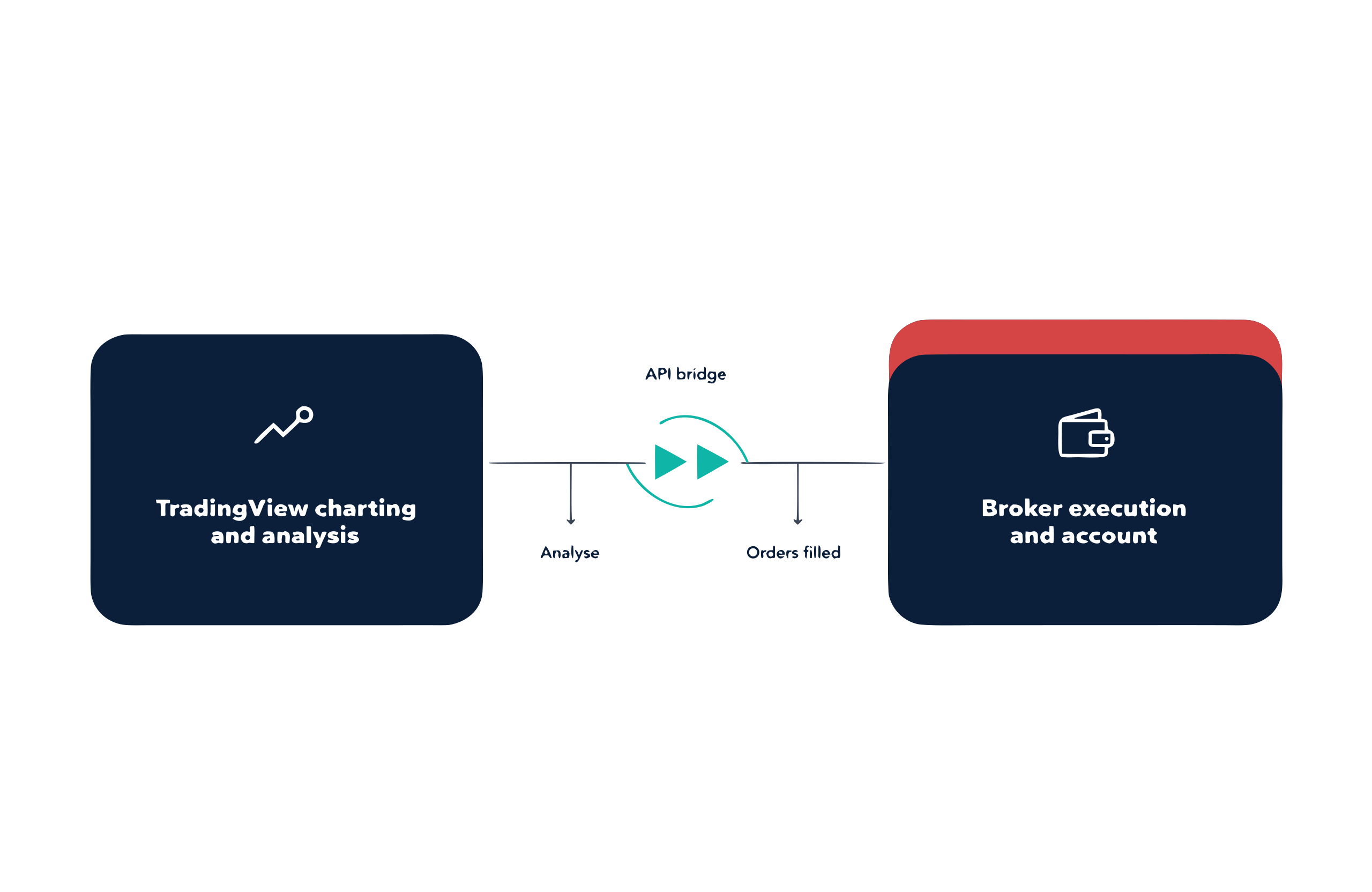
I find that if you trade chart patterns, the markup happens on the same chart you execute from, so the analysis and the order ticket stay on one screen. That is the practical gain over running a separate charting site next to a broker platform.
TradingView Essential, Plus and Premium pricing
TradingView runs a free Basic tier and four paid tiers: Essential, Plus, Premium and Ultimate. Basic supports live trading at the native-integration brokers above, so a paid plan is optional rather than required. On TradingView’s own pricing page, UK visitors see Essential at £12.95 a month, Plus at £29.95, Premium at £59.95 and Ultimate at £199.95, each billed annually (tradingview.com/pricing, captured 10 July 2026). The paid tiers add more charts per layout, more indicators per chart, custom timeframes and, on the top tiers, one-second bars. TradingView sets and changes these prices on its own schedule, so check the current figure on the TradingView site before paying for a plan.
Connecting your broker to TradingView: setup steps
Connecting an FCA-regulated account to TradingView takes six steps.
- Open and fund the account with the FCA-regulated broker first, because TradingView cannot open one for you.
- On a TradingView chart, open the Trading Panel at the bottom and choose your broker from the connectable list.
- Log in with your broker credentials in the sign-in window, where the broker, not TradingView, authenticates you.
- Check the account badge shows the right account, live versus demo and raw versus standard, before placing anything.
- Place a minimum-size test trade and confirm it appears in the broker’s own platform too, since that round trip proves the connection.
- Set a separate alert for connection loss if you leave working orders, and manage positions from the broker’s own app if the link drops.
Where TradingView falls short
TradingView is charting first and a trading front-end second, and I find that the seams show in a few places. There is no native automated execution: Pine Script strategies generate alerts, not orders, unless you wire up webhooks and third-party tooling. Depth of market depends entirely on the broker connection and is absent at several of them, so confirm it per broker if you rely on the order book. Order types are limited to what the integration passes through, which can be fewer than the broker’s own platform offers. The free Basic tier caps the indicators and charts you can run at once, so heavy chartists end up paying the subscription on top of their trading costs. I would confirm the current Basic-tier limits on TradingView before assuming a workflow fits.
TradingView vs MT4, MT5 and cTrader
In my view, the platform question usually comes down to what you automate and where you want the cost to sit.
| Feature |  TradingView TradingView |  MT4 MT4 |  MT5 MT5 |  cTrader cTrader |
|---|---|---|---|---|
| Best at | Charting and community scripts | Legacy EA library | Multi-asset and fast backtesting | Depth of market and raw execution |
| Charting quality | Best on market | Dated | Better than MT4 | Modern |
| Automation | Pine Script alerts, no native execution | MQL4 expert advisors | MQL5 expert advisors | C# cBots |
| Community indicators | Largest | Largest legacy library | Smaller than MT4 | Smallest |
| Depth of market | Broker-dependent | No | Yes (limited) | Yes (full L2) |
| Subscription cost | Free Basic tier; paid plans from £12.95 a month (captured 10 July 2026) | Free through the broker | Free through the broker | Free through the broker |
| UK brokers offering it | 14 of 28 | 18 of 28 | 12 of 28 | 2 of 28 |
When I compare MT4, MT5, cTrader and TradingView, I see TradingView’s edge as charting and the largest community script library rather than native order execution; 14 of 28 FCA brokers we rank offer it.
I think if automation is the priority, MetaTrader or cTrader executes it natively; if analysis is the priority, TradingView’s charting is the strongest of the four.
TradingView is not a broker: who regulates what
I want to be clear: TradingView is charting software. It is not authorised by the FCA and never holds your money. When you trade through it, the broker at the other end of the connection executes the order, holds your funds and owes you the UK retail protections: segregated client money, negative balance protection, the FCA leverage caps, FSCS compensation up to £85,000 per eligible person and Financial Ombudsman Service access.
I find that the FCA leverage caps sit with that broker under PS19/18, and they apply whether you trade from TradingView or the broker’s own platform.
| Asset class | FCA retail leverage cap |
|---|---|
| Major currency pairs | 30:1 |
| Non-major pairs, gold and major indices | 20:1 |
| Other commodities and non-major indices | 10:1 |
| Government bonds from the UK, eurozone, US, Japan, Canada or Switzerland | 30:1 |
| Individual shares, and any asset not listed above | 5:1 |
I think the practical consequences are simple. Complaints about execution go to the broker, not TradingView; your TradingView subscription is a software purchase with no FSCS cover; and if TradingView removed a broker from its connectable list tomorrow, your account and money would be untouched at the broker. I recommend you check the broker’s Firm Reference Number on the FCA register before connecting.
Compare brokers by the factor that decides it
I know different traders rank on different things. Start from the factor that decides it for you.

Start with the overall ranking
Our main UK list scores every FCA-regulated broker on cost and execution.

Cost decides it
I find that the same trade costs different amounts on different account types. These lists rank on the all-in figure, so you can compare the true cost.

Your strategy decides it
Pick your trading software first, then compare the brokers that carry it.

You are starting out
Simple platforms and demo accounts to learn on before any money is at risk.
Our reviews are reader-supported. We may receive payment when you click a link to a partner site. Learn how we make money.
FAQs
Which is the best TradingView broker in the UK?
Can you spread bet through TradingView in the UK?
Do I need a paid TradingView subscription to trade?
Can I trade real positions inside TradingView?
Does TradingView cost extra on top of my broker account?
Is TradingView regulated by the FCA?
Can I paper trade on TradingView?
Which TradingView plan should I start with?
Related pages
About the author

Justin Grossbard is the co-founder and CEO at CompareForexBrokers. He has traded forex since 1998, leads UK broker research and has personally reviewed every FCA-regulated broker on this site. His work has appeared in Forbes, Kiplinger and Finance Magnates, and he holds a Bachelor of Commerce (Honours) and a Master of Marketing.